
Kandu CostGuard
Price-list automation with margin impact built in.
Built for product-led businesses using NetSuite, CostGuard brings large supplier price lists in from email or upload, automates the comparison work, makes commercial impact transparent, and guides changes through to controlled purchasing-cost updates.
Margin impact
See the commercial effect before purchasing costs change.
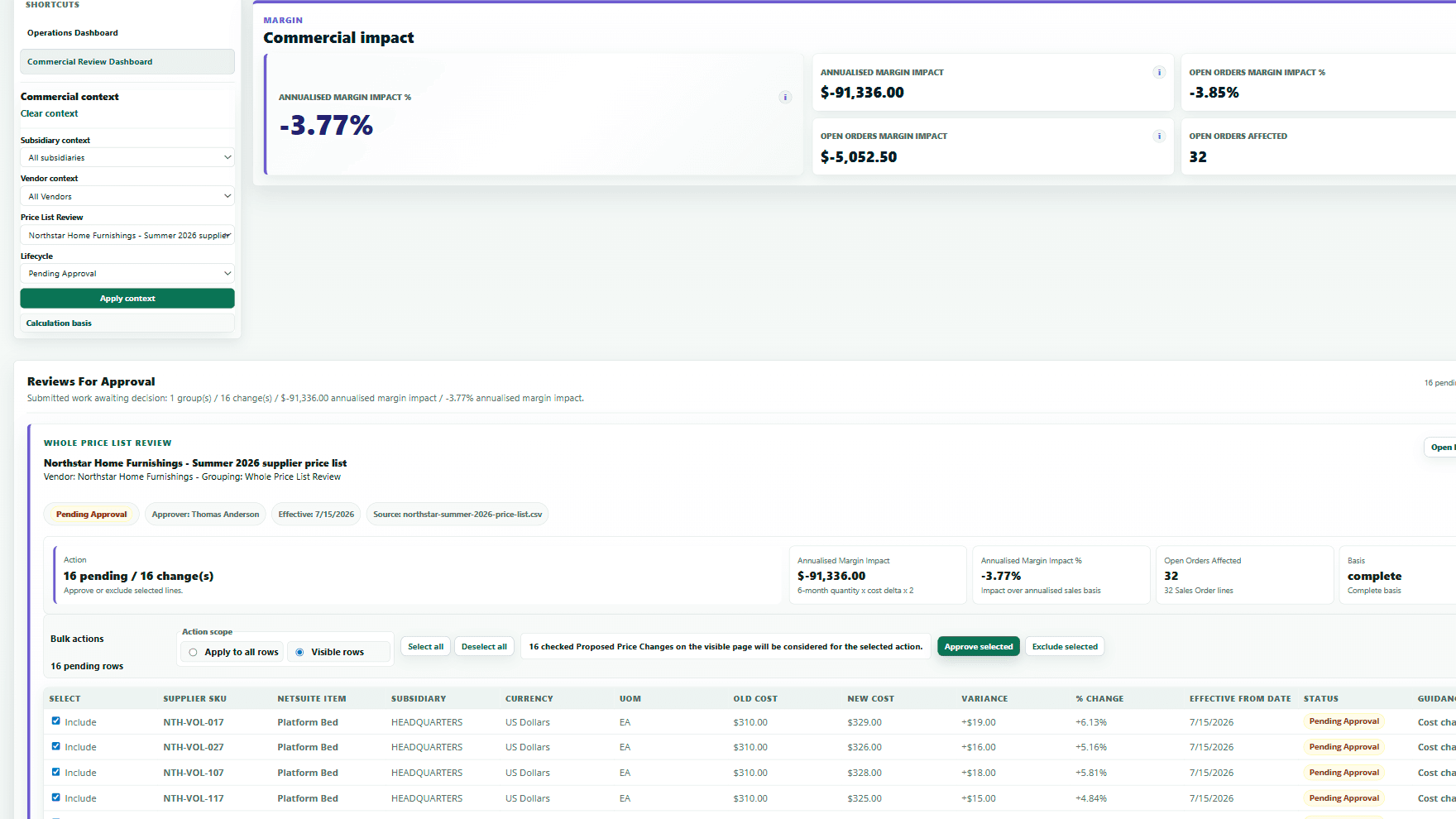
Margin and order impact before approval.
Margin impact
-3.77%
Approved impact
-$91k
Orders affected
32
Rows pending
16
Affected orders
32
Review state
Pending
Quick walkthrough
See how CostGuard turns supplier price-list changes into controlled NetSuite updates.
Watch the high-level flow: bring in a supplier price list, focus on the rows that matter, review margin impact, and prepare safer purchasing-cost updates.
Watch CostGuard in action
See how teams reduce manual comparison, review margin impact sooner, and prepare safer purchasing-cost updates in NetSuite.
Supplier price-list control
One flow for supplier price-list changes.
CostGuard helps NetSuite teams move from incoming supplier price lists to focused review, margin-impact decisions, controlled updates, and audit evidence.
Controlled flow
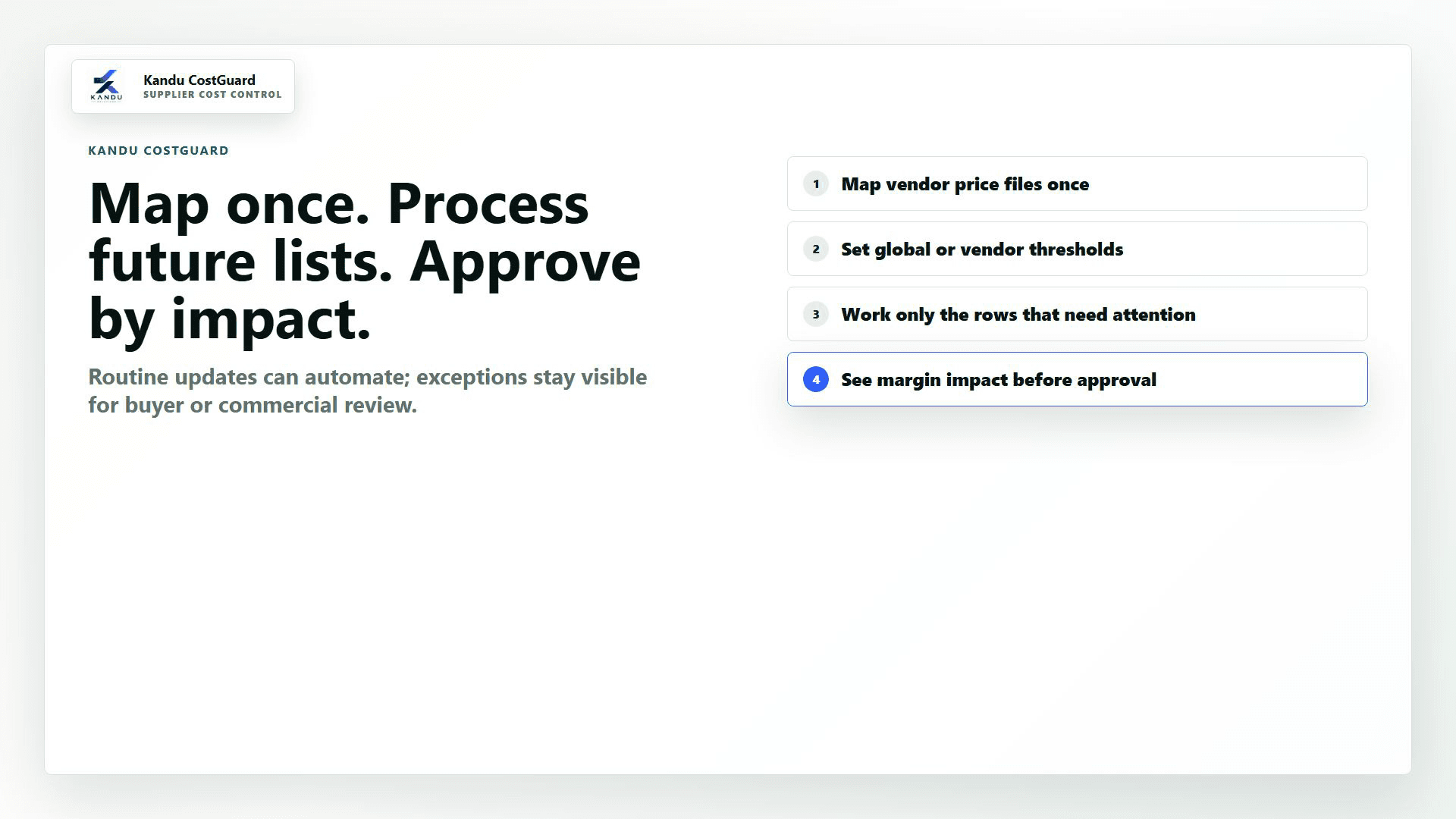
Map once, process future lists, approve by impact.
The CostGuard flow keeps routine rows moving while making exceptions and commercial impact visible before costs are approved.
Bring supplier price lists into a repeatable review path.
Work only the rows that need attention.
Review margin impact before purchasing costs change.
Supplier price-list intake
Manual upload
Automated comparison
Supplier SKU to NetSuite item mapping
Price List Review Workbench
Margin impact review
Exception guidance
Ready-to-apply queue
Controlled NetSuite update
Applied Change Audit
Intake automation
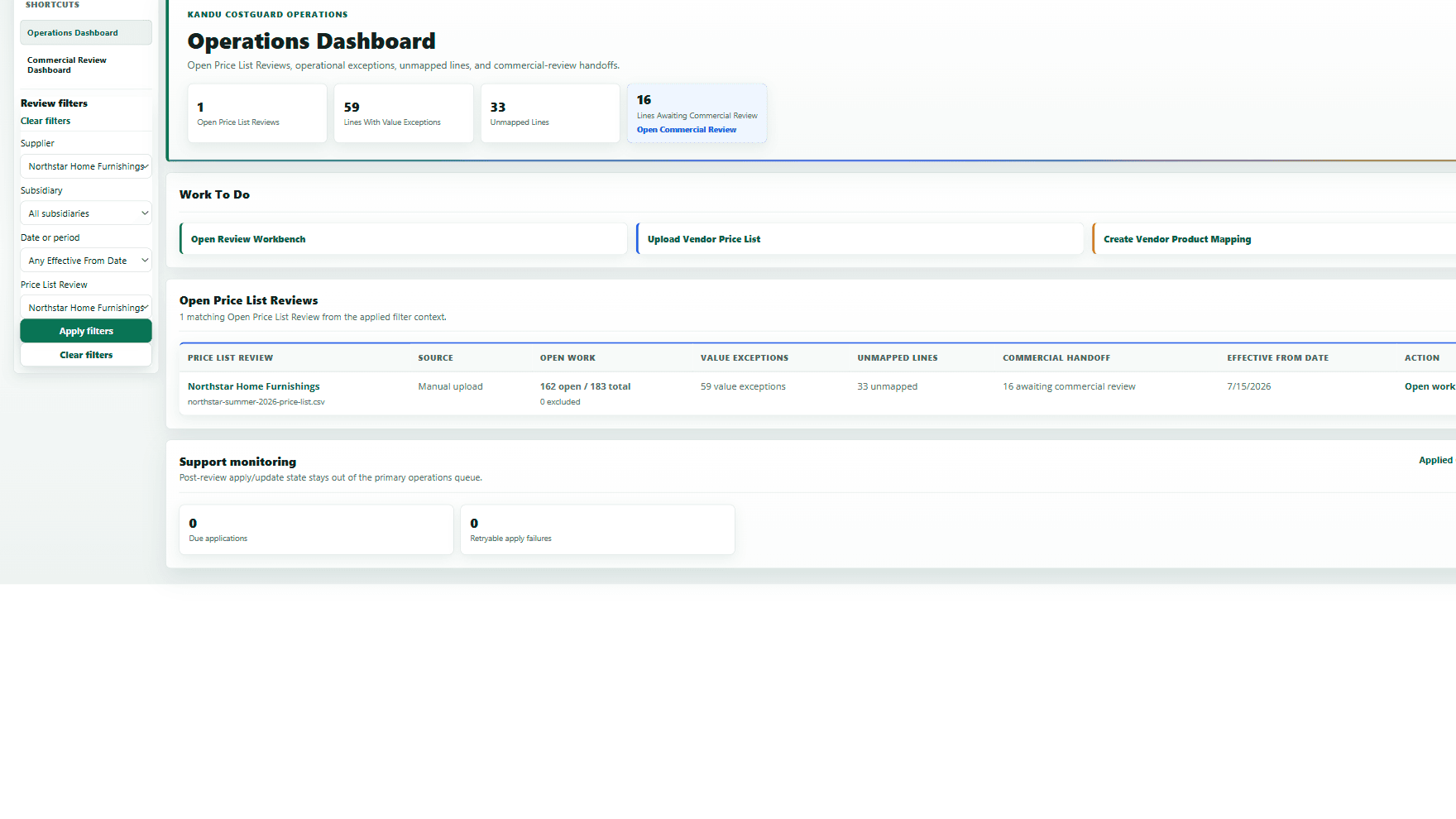
Supplier price lists arrive by email or upload, then move into the same automation flow.
Recurring supplier emails and buyer uploads both feed automated comparison, margin visibility, exception guidance, and controlled NetSuite updates.
Intake
Email and upload work enter the same controlled process.
Teams can bring supplier price lists into CostGuard without changing the commercial review and update controls that happen afterwards.
Authorised email capture
Manual upload
One guided flow
Guided flow
A practical route through intake, comparison, exception handling and controlled update.
CostGuard does the row-level comparison work, surfaces what matters commercially, and guides exceptions without making buyers inspect every unchanged line.
Email or upload
Large supplier price lists enter CostGuard without rekeying.
Automate comparison
Rows are mapped, compared, and reduced to meaningful changes.
Show margin impact
Annualised margin movement and margin movement on open orders are identified.
Guide exceptions
Blocked and review items get clear next actions.
Update NetSuite
Ready changes update purchasing costs with controls intact.
Price List Review Workbench
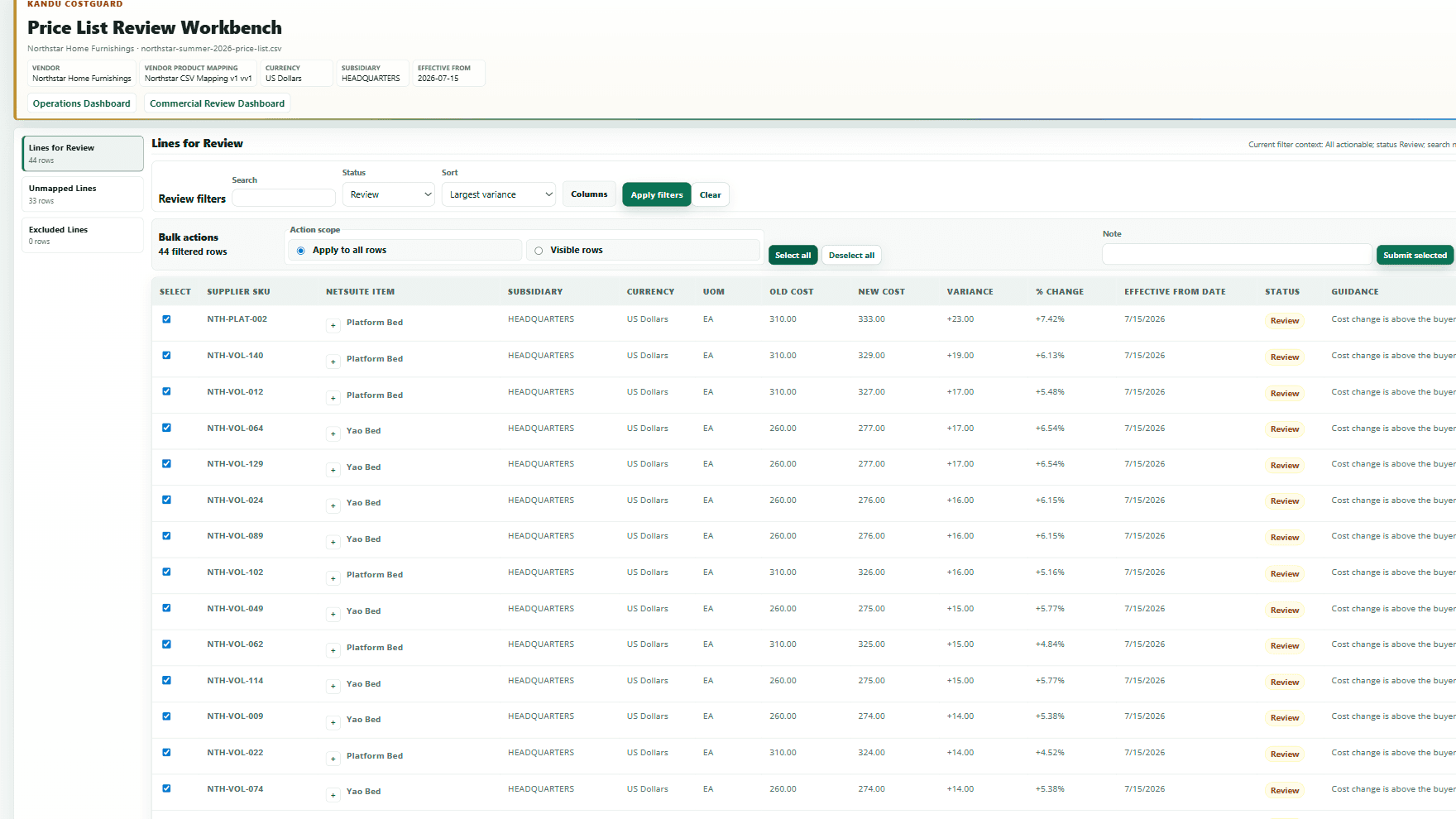
Buyers work the exceptions and high-impact changes, not every row in the file.
The Workbench prioritises variance, item context, status and guidance so NetSuite teams can submit clean rows and keep exceptions visible.
Focused review
Spend time on the rows that need a decision.
CostGuard separates clean changes, mapping gaps and judgement calls so teams can move price-list work forward without losing visibility of exceptions.
Variance and status stay visible on each row.
Unmapped supplier SKUs are guided into item matching.
Ready rows can be submitted without hiding exceptions.
Commercial impact
Margin impact is visible before new costs land.
Commercial reviewers see margin impact, open-order impact and the affected rows before deciding what should be approved or excluded.
Commercial visibility
See the margin effect before costs change.
Reviewers can see the commercial impact of supplier cost changes before approving updates, so pricing and order risk are clearer at the point of decision.
Annualised margin impact
-3.77%
Open orders affected
32
Rows pending
16
Mapping and exceptions
Supplier SKU mapping and exception guidance stay in the review flow.
Unmapped supplier SKUs, blocked data, and judgement calls are separated so teams know what to map, exclude, submit or review.
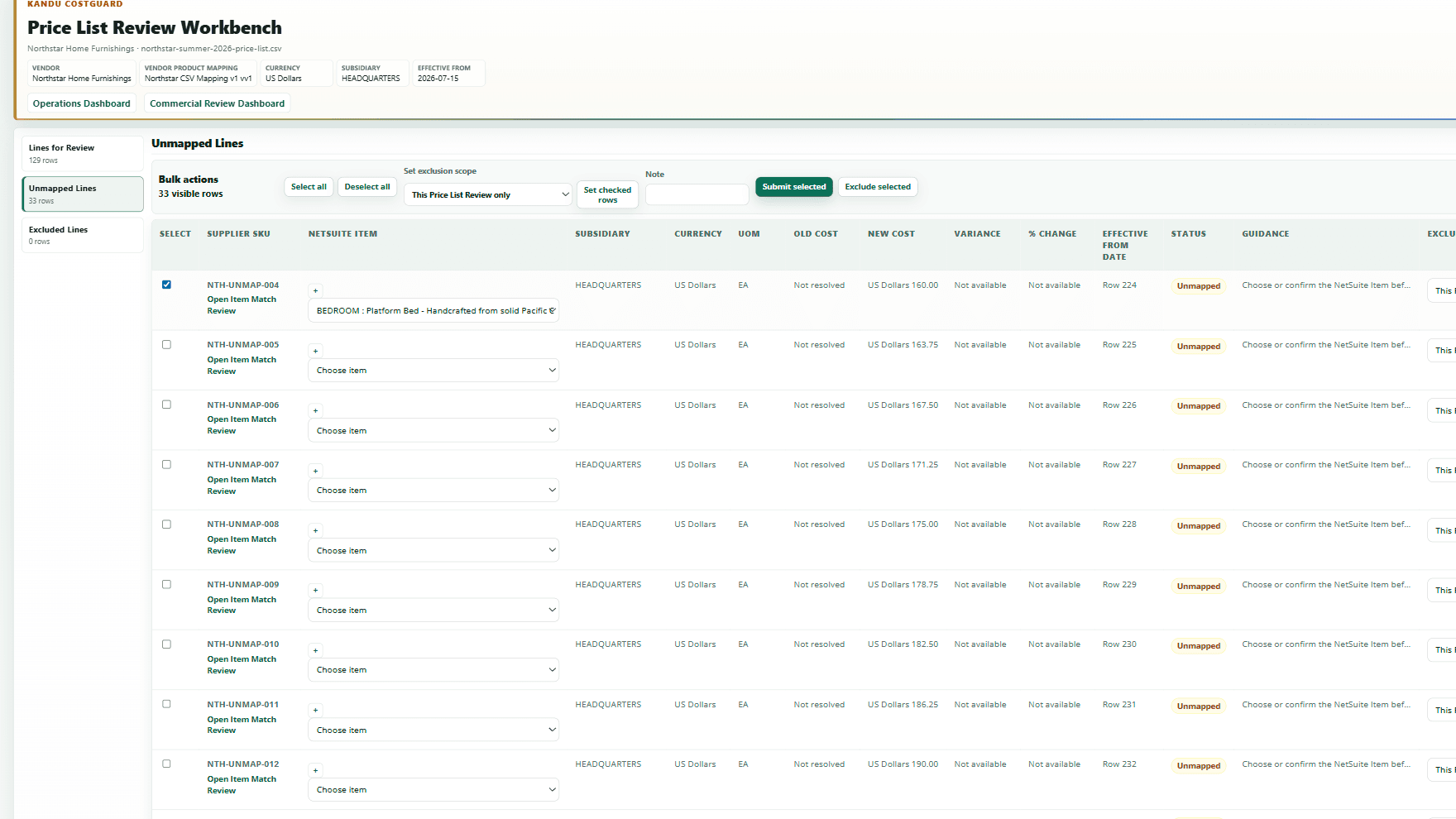
Exception guidance
Mapping gaps stay visible until they are resolved.
Unmapped supplier SKUs, exclusions and blocked rows are kept in the review flow so teams can see what needs action before updates are prepared.
Unmapped lines are separated from ready rows.
Guidance keeps the next action clear.
Exceptions remain visible while clean rows move forward.
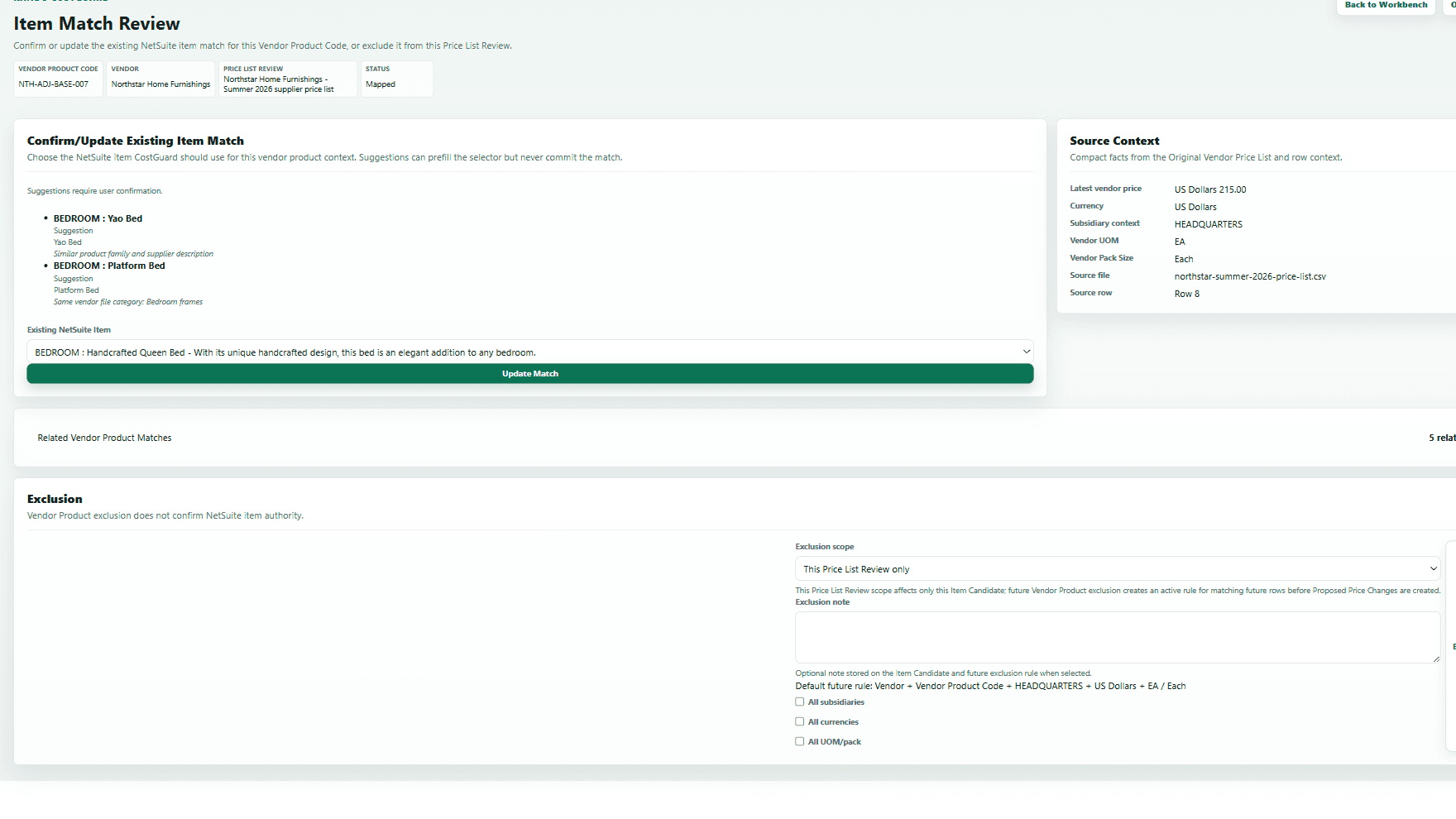
Item matching
Supplier SKUs are connected to the right NetSuite items.
CostGuard keeps source context, suggested matches and confirmed item selection together so mapping work is controlled and reviewable.
Source supplier data stays visible during matching.
Suggested and confirmed NetSuite items are separated.
Teams can exclude rows that should not update costs.
Guardrails
Commercial transparency without loose cost updates.
CostGuard protects the line between automation, buyer judgement, commercial review and NetSuite data change.
Product rules
Move quickly through price-list work while keeping margin, exceptions, and NetSuite updates controlled.
Large files are reduced to meaningful cost changes.
Supplier SKUs need trusted NetSuite item mapping before update.
Margin impact is visible before costs change.
Rows outside threshold stay available for commercial review.
Blocked data and mapping exceptions are guided separately.
Ready changes update NetSuite purchasing costs with evidence.
Audit evidence
Controlled updates still leave a clear trail.
Ready changes update NetSuite item-vendor purchasing costs with checks and evidence, so the business can see what changed and why.
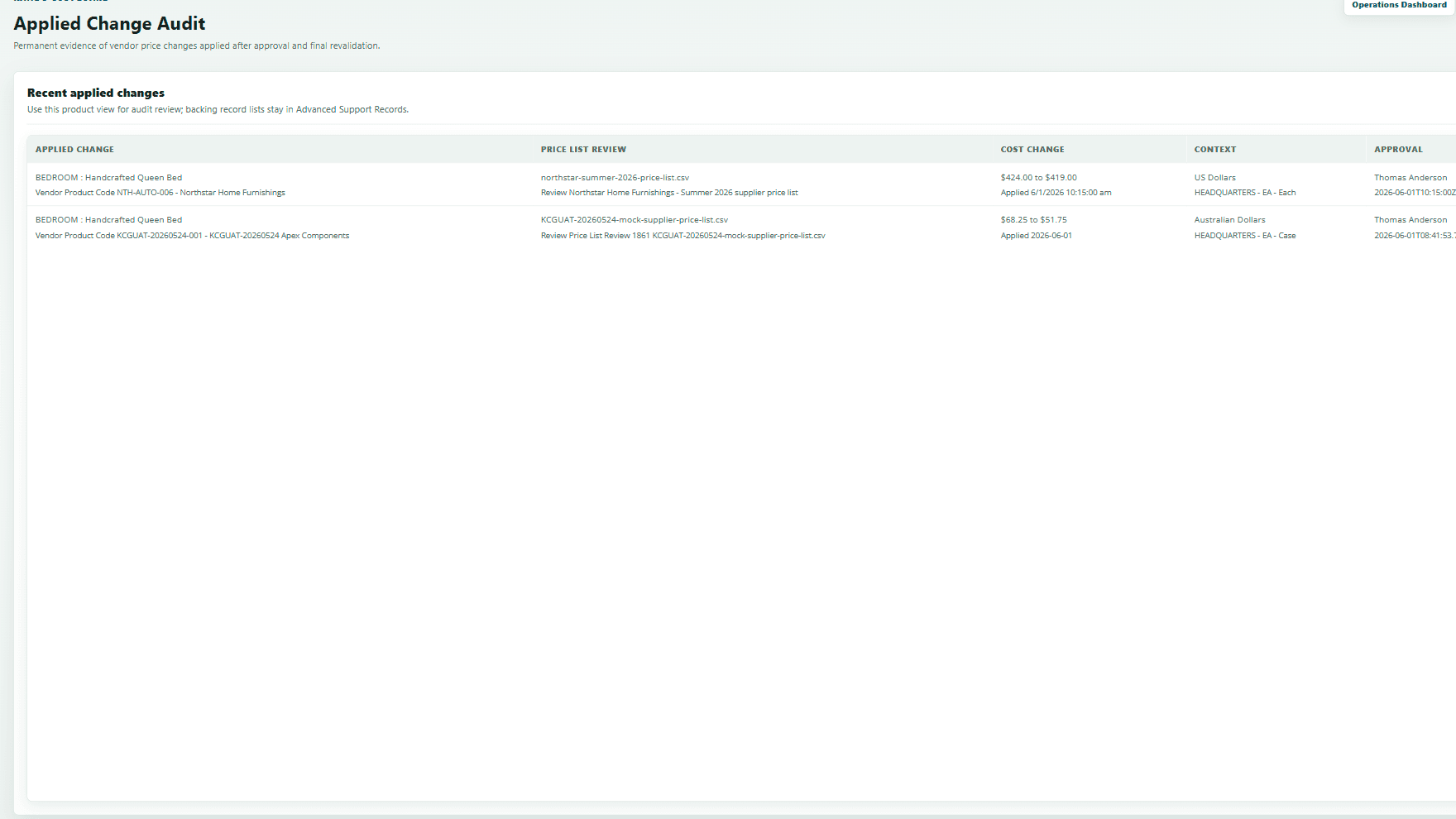
Audit trail
Approved cost changes leave evidence behind.
Ready changes update NetSuite item-vendor purchasing costs with checks and evidence, so teams can see what changed and why.
Applied changes are tied back to approval.
Final validation happens before updates complete.
Evidence remains available for later review.
Capability map
The product covers the supplier price-list change cycle.
Each capability is designed around product-led businesses, margin visibility, guided exceptions, and NetSuite data integrity.
Built for product-led businesses
CostGuard is shaped around supplier price lists, item-vendor costs, quantity breaks, currencies, subsidiaries, and purchasing teams working at scale.
Large price lists, less noise
Thousands of rows can be read while unchanged rows stay out of the buyer's way and meaningful cost changes are pulled forward.
Automated comparison
Supplier SKUs, NetSuite items, current costs, proposed costs, currencies, UOM, and pack context are compared before anyone updates NetSuite.
Margin impact visibility
Buyers see variance, margin before and after, annualised impact, open-order context, and commercial review signals before changes land.
Guided exceptions
Blocked data, missing maps, suspicious changes, and commercial exposure are separated so teams know what to fix, review, or update.
Controlled NetSuite updates
Ready changes can update item-vendor purchasing costs with checks, evidence, and audit history intact.
Evaluation
How CostGuard evaluation works
CostGuard is evaluated through a controlled, practical process. Start by watching the product flow, then discuss fit. If CostGuard is relevant to your NetSuite setup, Kandu can deploy it into your NetSuite sandbox for a guided evaluation using agreed test data. If the evaluation is successful, the next step is a paid subscription.
Watch the product flow
Watch CostGuard in action to see the core flow: supplier price-list intake, comparison, margin impact review and controlled purchasing-cost update preparation.
Discuss fit
We review your current supplier price-list process, NetSuite setup, item/vendor data, purchasing-cost controls and commercial review requirements.
Sandbox evaluation
Where there is a fit, Kandu deploys CostGuard into your NetSuite sandbox for a guided evaluation using agreed sample or sandbox data.
Paid subscription
If CostGuard proves useful in the sandbox evaluation, the next step is a paid subscription.
Built from finance, NetSuite and product delivery experience
Kandu CostGuard is built by Neil Trigg, a qualified accountant, former Finance Director, senior NetSuite functional consultant, and certified NetSuite Application Developer.
CostGuard is designed for finance, purchasing, operations and systems teams that need supplier price-list changes to be commercially reviewed, controlled, and safely reflected in NetSuite.
Next step
Talk to Kandu about supplier price-list automation.
Share how price lists arrive today, how buyers compare them, and where margin visibility or controlled NetSuite updates need to be stronger.